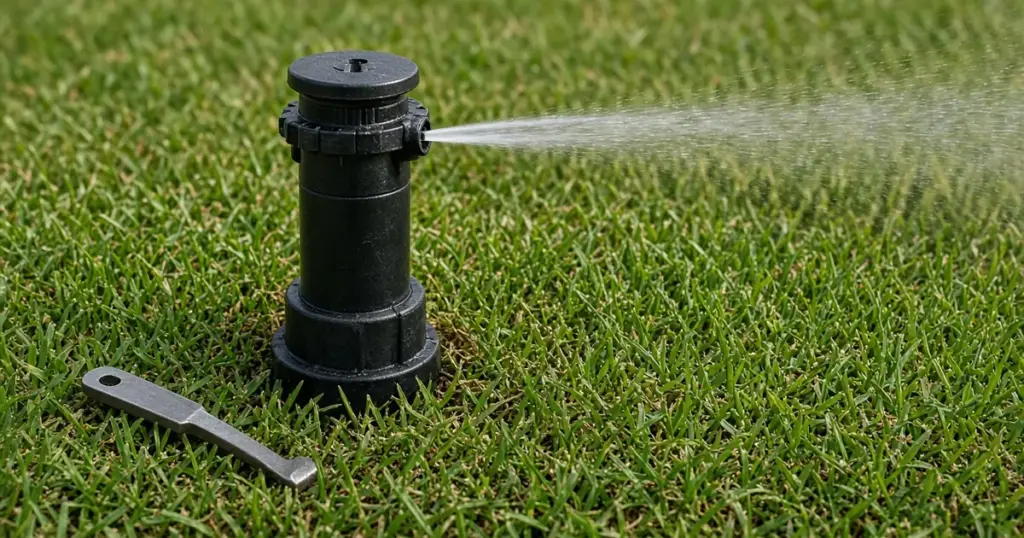
Rotor heads water the larger lawn areas on many properties. Instead of spraying a fixed fan of water like a spray head, a gear-driven rotor throws a single stream that slowly sweeps back and forth across its arc. When a rotor stops turning, that stream hits the same patch over and over. One spot gets soaked, and the rest of the area the head was supposed to cover dries out.
A stuck rotor is a common repair and often a simple one. The cause is usually low pressure, debris, an arc setting problem, or a worn gear drive. This guide walks through how to figure out which, with notes for homes in Huntsville, TX and Walker County.
How a Gear-Driven Rotor Works
Water entering the rotor passes through a small turbine that spins a set of gears. Those gears turn the nozzle turret slowly. Arc stops or an adjustment mechanism reverse the turret at the ends of its set arc. Anything that slows the turbine or jams the gears can stop the rotation.
Our existing article comparing spray heads, rotors, and rotary nozzles explains where each type fits.
Signs of a Rotor Problem
- The stream stays in one direction.
- The head turns part way and stops.
- The head moves in jerks rather than steadily.
- The head rotates in a full circle when it should reverse.
- The stream is weak or short.
- The head does not pop up fully.
Step-by-Step Diagnosis
1. Check the whole zone
If every rotor on the zone is slow or stuck, the cause is likely pressure. Look for a leak, a partially closed valve flow control, or a zone with too many heads for its supply. Our existing post on common causes of low sprinkler pressure explains how to track it down.
2. Look at the nozzle
A clogged nozzle can reduce flow and stop the turbine. Remove the nozzle according to the manufacturer’s instructions and clean it. Our guide to clogged sprinkler nozzles and filter screens covers the process.
3. Clean the filter screen
Many rotors have a screen at the base of the internal assembly. Unscrew the cap, lift out the internal assembly, and rinse the screen.
4. Check for debris around the riser
Grit and grass around the riser can keep it from rising and turning freely. Clear the area and flush the head.
5. Check the arc setting
An arc set to zero or a tangled adjustment can stop rotation or make it behave oddly. Follow the manufacturer’s procedure to reset the arc. Some rotors need to be turned to a starting position before adjustment.
6. Test the gear drive
With the water off, some rotors can be gently turned by hand to check for binding. Forcing the turret can strip gears, so follow the manufacturer’s guidance. If the turret does not move or the gears grind, the gear drive is likely worn.
Fixes
Clean and reassemble
If debris was the cause, cleaning the nozzle and screen and flushing the head often restores rotation.
Replace the internal assembly
Many rotor bodies accept replacement internal assemblies, letting you keep the body in the ground. Make sure the replacement matches the brand and model.
Replace the head
If the body is cracked or the model is obsolete, replacing the whole head is simplest. Our guide to replacing a broken sprinkler head walks through the steps. Match the new rotor to the others on the zone so precipitation rates stay consistent.
Spray Nozzles in Rotor Bodies
Occasionally a rotor that seems stuck is not a rotor at all. Some heads that look similar from the surface are spray heads fitted with rotary nozzles, which turn through a different mechanism and need their own cleaning steps. Pull up the riser and check the brand and model before buying parts.
Preventing Stuck Rotors
- Flush lines after repairs.
- Keep heads at the right height so soil and clippings do not pack around them.
- Filter well water before it reaches the zones.
- Keep pressure in range for the heads you have.
- Check rotation each spring as part of a system start-up.
Rotors and Watering Schedules
Rotors apply water more slowly than spray heads, so rotor zones need longer run times. When one rotor fails, homeowners sometimes increase run time for the whole zone to green up the dry area. That wastes water. Fix the head first, then verify coverage.
Choosing Replacement Rotors
If you are replacing several rotors, consider:
- Matched precipitation nozzles so heads with different arcs apply water evenly.
- Check valves in heads on slopes to reduce low-head drainage.
- Models with easy arc adjustment and a slip clutch that protects gears from forced turning.
A Quick Seasonal Rotor Check
Once at the start of the watering season and again in midsummer, run each rotor zone and watch every head through at least one full sweep. Confirm that each head starts and stops at the edges of its intended area, that the stream reaches the next head, and that nothing blocks the stream, such as tall grass, shrubs, or a new piece of yard furniture. Mark any head that hesitates or stops. Catching a slowing rotor early often means a simple cleaning instead of a dry patch and a larger repair later.
When to Call a Pro
Call a professional if several rotors on a zone are stuck, if pressure problems are suspected, if you cannot identify the rotor model, or if dry areas persist after repairs. A technician can check pressure, replace heads, and verify coverage. The sprinkler troubleshooting guide covers other symptoms. We repair and replace rotors for homes across Huntsville and Walker County. See our sprinkler repair page and our services page.
Frequently Asked Questions
Why does my rotor sprinkler only spray in one direction?
Common causes include a clogged nozzle or screen, low pressure, a damaged gear drive, or an arc setting problem.
Can I fix a rotor without replacing it?
Often, yes. Cleaning the nozzle and screen, flushing, and resetting the arc fixes many rotors. Some accept replacement internal assemblies.
Should all rotors on a zone be the same model?
Matching models and nozzles helps keep precipitation rates consistent, which leads to more even watering.
Get Your Rotors Turning Again
If your rotors are stuck or watering unevenly, call 346-586-6060 or schedule a repair.