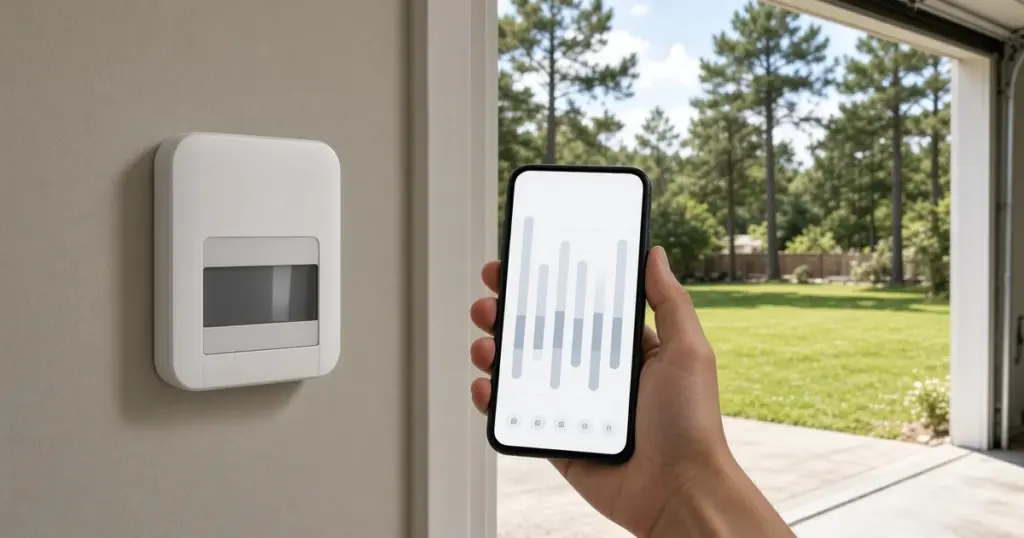
The controller is the brain of an irrigation system, and it is also the part most people interact with least. Many homeowners set a schedule once, maybe when the system was installed, and then leave it running unchanged through scorching Augusts, soaking tropical rains, and mild winters. The result is a lawn that gets too much water half the year and not enough the other half.
This guide explains how modern controllers and their add-on sensors work, what features actually matter for yards in Walker County and the Huntsville, TX area, and how to get the most from the equipment you already have. Each section links to a deeper article on that topic.
What a Controller Actually Does
At its core, an irrigation controller is a clock with relays. On a schedule you set, it sends low-voltage current to each valve in turn, and each valve opens its zone. Every controller, from a basic dial unit to a cloud-connected smart model, handles a few basic settings:
- Watering days (specific days, odd/even dates, or an interval such as every third day)
- Start times, which are when a program begins
- Run times for each station
- Programs, which let different zones follow different schedules
If you want a refresher on setting those values, our post on how to set a sprinkler controller walks through programming step by step, including cycle-and-soak for clay soil.
Basic Timers vs. Smart Controllers
A traditional controller does exactly what it is told, whether it rained yesterday or not. A smart controller adjusts on its own, usually based on local weather data or on-site sensors. Our earlier article, are smart sprinkler controllers worth it in Huntsville, weighs the pros and cons for our climate.
Smart features worth understanding:
- Weather-based adjustment, which raises or lowers run times based on temperature, humidity, and rain.
- Rain skip, which cancels a cycle when rain is forecast or has fallen.
- App control, which lets you run zones from your phone while you walk the yard. That makes troubleshooting much easier.
- Flow monitoring on models that support a flow sensor.
Smart controllers depend on a steady Wi-Fi connection. If yours keeps dropping offline, see smart sprinkler controller Wi-Fi problems.
Sensors That Make Any Controller Smarter
Rain and freeze sensors
A rain sensor interrupts watering after a set amount of rain. Under Texas Commission on Environmental Quality rules, new automatically controlled irrigation systems, and repairs that replace an existing controller, must include rain or moisture shut-off technology; see TCEQ’s Questions and Answers for Irrigators for the official wording. Many rain sensors also come in combination models that stop watering near freezing temperatures, which matters here because running sprinklers before a freeze can ice sidewalks and driveways. Our guide to rain and freeze sensors covers placement and testing.
Soil moisture sensors
Instead of guessing from weather data, a soil moisture sensor measures how wet the root zone actually is. They can work well on the layered sandy-loam-over-clay soils common in this area, as long as the probe sits in a representative spot. We discuss the tradeoffs in soil moisture sensors for sprinklers.
Flow sensors and master valves
A flow sensor measures how much water moves through the system. Paired with a compatible controller and a master valve, it can detect a broken head or pipe and shut the system down automatically. See flow sensors and master valves for how this protection works and who benefits most.
Seasonal Adjustment: The Most Underused Feature
Almost every controller has a seasonal adjust or water budget setting that scales all run times up or down by a percentage. It is the easiest way to respond to East Texas weather without reprogramming every station. Used correctly, it can cut watering through the cooler months and add a little extra during heat waves. We explain how to use it in using your controller’s seasonal adjust feature, and the year-round maintenance calendar suggests when to change it.
Replacing a Controller
Older controllers fail, lose programming, or lack features you now want. Replacing one is usually straightforward if you label every wire before disconnecting it. Remember the TCEQ rule mentioned above: when a controller is replaced, rain or moisture shut-off technology needs to be part of the system. Our walkthrough on replacing an old sprinkler controller covers wire labeling, mounting, and programming the new unit.
Power Problems and Resets
Storms and summer power outages are part of life in this region. A controller that loses power may reset to a default program, lose the date and time, or show a blank screen. Some controllers keep their programming in nonvolatile memory, while others rely on a backup battery. If yours is acting strange after a storm, read sprinkler controller blank or reset after a power outage.
Programming Tips for Local Conditions
- Water early in the morning. Lower wind and cooler temperatures mean less evaporation, and the grass blades dry as the day warms, which helps limit fungus in our humid climate.
- Use multiple start times on slopes and clay. Short cycles separated by a soak period reduce runoff.
- Separate programs by plant type. Lawn zones, shrub beds, and drip zones have different needs and should not share a schedule.
- Know your local watering rules. The City of Huntsville’s drought contingency plan can limit watering days and hours when drought stages are in effect; check the city’s water department page for current information.
- Revisit the schedule every season. A summer schedule left running into November wastes water and can encourage disease.
When to Call a Pro
Call a professional when the controller shows a fault you cannot clear, when zones fail to respond even though the controller shows them running, when you want to add a flow sensor or master valve, or when a replacement involves more wires than terminals. Electrical faults in the field wiring are often mistaken for controller failures, and a technician with the right meter can tell the difference quickly. Our sprinkler repair team diagnoses controller and wiring issues, and the services page covers upgrades such as smart controllers and sensors. If the issue is really a valve or wire, the valves and wiring guide explains what is going on.
Frequently Asked Questions
Will a smart controller fix a poorly designed system?
No. A smart controller can only schedule water better. If heads are mismatched, spacing is poor, or pressure is wrong, those problems need to be fixed at the heads and pipes first.
Do I need a rain sensor if I have a smart controller?
Many smart controllers use weather data to skip watering, which may count as “other technology” designed to interrupt irrigation during rain. Whether it is enough for your situation depends on the device and installation, so ask your irrigator.
Why did my controller start watering at strange times?
Most often a power interruption reset the clock or loaded a default program. Check the date, time, and every program’s start times. Extra start times left in a program are another common cause.
Get Help With Your Controller
Whether you need a schedule set up for the season, a sensor installed, or a full smart controller upgrade, we can help. Call 346-586-6060 or contact us online to schedule a visit anywhere in Huntsville and Walker County.