Power outages are part of life in East Texas. Summer thunderstorms, tropical systems, and the occasional winter storm can knock out power for minutes or days. When the lights come back, most homeowners check the refrigerator and reset the clocks. The sprinkler controller often gets forgotten, and that can mean a schedule running at the wrong time, a lawn going unwatered for a week, or zones running in the middle of the afternoon.
Some controllers keep everything through an outage. Others lose the time or the whole program. This guide explains what to check after the power returns, with notes for homes around Huntsville, TX and Walker County.
What Can Happen During an Outage
- Clock resets. The controller may revert to a default time, so the schedule runs at the wrong hour.
- Programs lost. Older controllers without non-volatile memory may lose all programming.
- Backup battery drained. Controllers that rely on a battery to hold time and settings may lose them if the battery is weak.
- Power surge damage. When power returns, a surge can damage the transformer or circuit board.
- Smart controller offline. The controller may come back before the router does and fail to reconnect.
- GFCI tripped. The outlet powering the controller may trip when power returns.
Step-by-Step Check
1. Confirm power
Look at the display. If it is blank, check the outlet, any GFCI, and the breaker. Plug-in controllers use a transformer that can fail after a surge.
2. Check date and time
Make sure the date, time, and AM/PM setting are correct. An AM/PM error can move a 5 a.m. start to 5 p.m.
3. Review programs
Check start times, run times, watering days, and seasonal adjustment for each program. Compare against your records. Our existing article on how to set a sprinkler controller explains each setting.
4. Check the rain delay and sensor status
A rain delay set before the storm may still be active. That may be what you want after heavy rain, but confirm it.
5. Test a zone
Run one zone manually to confirm the controller is sending power to valves. If nothing runs, see whole sprinkler system not turning on.
6. Check fuses and breakers
Some controllers have an internal fuse or resettable breaker that can trip during a surge. Reset or replace it according to the manual. If it trips again as soon as a zone starts, there may be a short in the field wiring rather than a controller problem.
Smart Controller Reconnection
After an outage, a smart controller may show offline in the app. Most reconnect automatically once the router is back. If not:
- Restart the router and wait for it to fully boot.
- Restart the controller.
- Check the app for a reconnection prompt.
- Re-run Wi-Fi setup if needed.
Our guide to smart sprinkler controller Wi-Fi problems covers deeper troubleshooting. Most smart controllers keep running their last stored schedule while offline, but weather adjustments may stop.
Backup Batteries
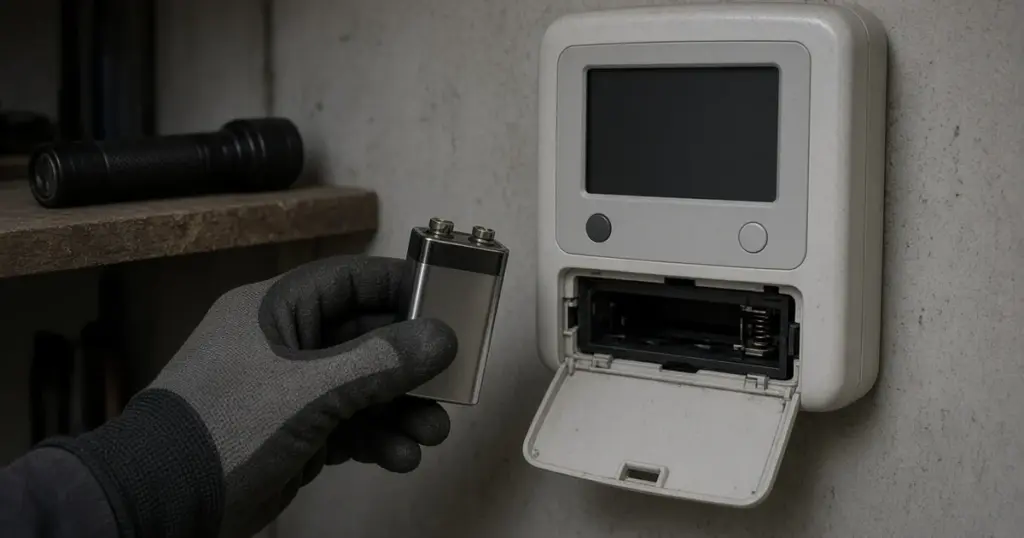
Many conventional controllers use a coin cell or 9-volt battery to keep time during outages. Others use non-volatile memory that holds programs without a battery. Check your controller’s manual and replace the battery on the recommended schedule, typically before storm season.
Protecting the Controller
- Use a surge protector where appropriate, or a controller with built-in surge protection.
- Mount the controller away from areas prone to flooding.
- Keep a written copy of your programs, or take photos of each setting.
- Choose a controller with non-volatile memory if outages are frequent.
Before Storm Season
Before tropical storm season, take a few minutes to:
- Photograph your programs.
- Replace the backup battery if your controller uses one.
- Test the rain sensor.
- Know where your irrigation shutoff is.
Our guide to hurricane season sprinkler preparation covers the full checklist.
Signs of Damage After an Outage
- Blank or flickering display with power confirmed.
- Zones that will not run even when started manually.
- Error messages about zones or power.
- A warm or burnt-smelling transformer.
These may indicate surge damage. Replacing the transformer or the controller may be needed.
Brownouts and Flickering Power
Not every power problem is a full outage. Brownouts, where voltage dips without the power going completely off, and repeated flickering during storms can confuse controllers, reset clocks, or cause erratic behavior. If your controller acts strangely after a stormy day, such as running a zone at an odd time or showing an error, run through the same checks as after a full outage. Repeated problems may point to a weak transformer or an outlet on a circuit with other heavy loads.
Rental and Vacation Properties
If nobody is home after an outage, a controller can sit in the wrong state for days. Smart controllers that send offline notifications help, and so does asking a neighbor or property manager to check the controller after major storms. For properties managed remotely, keeping a record of the controller model and its programs makes it much easier to talk someone through a reset over the phone.
When to Call a Pro
Call a professional if the controller will not power up, if zones will not run after the outage, if fuses keep tripping, or if you want help reprogramming or upgrading to a controller that holds settings through outages. The controllers and smart irrigation guide explains the options. We help homeowners across Huntsville and Walker County restore and upgrade controllers. See our sprinkler repair page and our services page.
Frequently Asked Questions
Will a power outage erase my sprinkler schedule?
It depends on the controller. Many newer models keep programs in memory, while older ones may lose them or just the time.
Why are my sprinklers running in the afternoon after an outage?
The controller clock may have reset or switched AM and PM. Reset the time and check start times.
How do I know if my controller was damaged by a surge?
A blank display with confirmed power, zones that will not run, or a failed transformer can indicate surge damage.
Get Your Controller Back on Schedule
If your controller is not behaving after an outage, call 346-586-6060 or request service.